
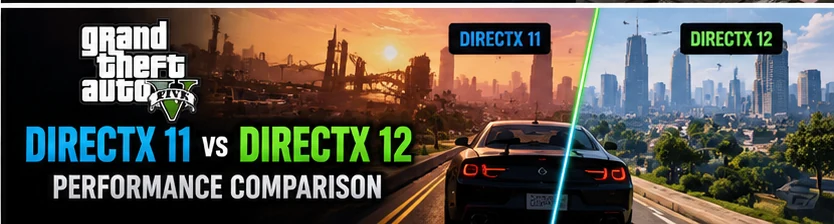
GTA 5 DirectX 11 vs DirectX 12 is an important comparison for PC gamers who want better FPS, smoother gameplay, and improved graphics. The graphics API can affect how a game communicates with your graphics card and processor, but it does not determine performance on its own. Your GPU, CPU, RAM, graphics settings, and game edition also play important roles.
GTA 5 DirectX 11 vs DirectX 12: Quick Comparison
| Feature | GTA 5 Legacy (DX11) | GTA 5 Enhanced (DX12) |
|---|---|---|
| Graphics API | DirectX 11 supported | DirectX 12 |
| Performance | Often suitable for older hardware | Depends on hardware and settings |
| Graphics features | Classic rendering features | Additional modern graphical features |
| Ray tracing | No equivalent Enhanced ray-tracing feature set | Supported on compatible hardware |
| Upscaling | More limited options | Supports technologies including DLSS and FSR |
| Older graphics cards | Generally more compatible | Requires compatible DirectX 12 hardware |
| Best use case | Classic gameplay and older PCs | Modern graphics and compatible hardware |
These are general differences between the two PC editions, not results from a controlled benchmark. Actual FPS varies according to hardware, resolution, settings, drivers, and the scene being rendered.
1. What Is DirectX 11 in GTA 5?
DirectX 11 is a graphics application programming interface that allows games to communicate with compatible graphics hardware. GTA 5 Legacy uses this technology to render vehicles, buildings, lighting, shadows, textures, and other objects throughout Los Santos.
One advantage of GTA 5 Legacy is its established compatibility with a broad range of PC hardware. Players with older graphics cards may find it easier to achieve acceptable performance because the classic version does not require the same hardware capabilities as GTA 5 Enhanced.
DirectX 11 does not automatically guarantee higher FPS. Performance still depends on the graphics card, processor, memory, and settings. However, the combination of GTA 5 Legacy and carefully optimized graphics settings can be a practical choice for players who prioritize smooth gameplay over newer visual features.
Advantages of GTA 5 DX11
- Suitable for many older gaming PCs.
- Established compatibility with the classic PC version.
- Allows players to adjust graphics settings for better performance.
- Does not require Enhanced-specific graphical features.
- Can be a practical option for players prioritizing consistent FPS over advanced effects.
Disadvantages of GTA 5 DX11
- Does not provide the full graphical feature set introduced in Enhanced.
- Lacks the Enhanced edition’s ray-tracing features.
- Does not provide the same range of modern rendering improvements.
2. What Is DirectX 12 in GTA 5 Enhanced?
DirectX 12 is a newer graphics API designed to give compatible games more control over how graphics workloads are managed. GTA 5 Enhanced uses DirectX 12 alongside additional graphical improvements that make the game look more modern on supported PCs.
The Enhanced edition includes features such as ray-traced reflections and shadows, improved lighting, support for compatible NVIDIA DLSS and AMD FSR technologies, and faster world streaming. These improvements can make the game visually richer, particularly when driving through the city at night or viewing reflective surfaces.
However, additional graphical features can also increase hardware demands. Ray tracing, high resolutions, and demanding graphics presets can reduce FPS, especially on entry-level graphics cards.
Advantages of GTA 5 DX12
- Access to the Enhanced edition’s modern graphics features.
- Ray-traced visual effects on supported hardware.
- Support for compatible upscaling technologies.
- Improved visual detail and lighting options.
- Potentially attractive performance on modern, compatible gaming PCs.
Disadvantages of GTA 5 DX12
- Requires compatible hardware and suitable drivers.
- Advanced graphical effects can reduce FPS.
- May be unsuitable for PCs that meet only the requirements of the older edition.
- Performance depends heavily on resolution, settings, and graphics-card capabilities.
3. GTA 5 DX11 vs DX12 FPS Performance
FPS is one of the most important factors when comparing GTA 5 DirectX 11 vs DirectX 12. A higher frame rate can make driving, aiming, and camera movement feel smoother. Nevertheless, there is no single FPS result that applies to every PC.
GTA 5 Legacy may be the more practical option on older hardware, while GTA 5 Enhanced can deliver a more advanced graphical experience on compatible modern systems. You should not assume that DirectX 12 always provides more FPS simply because it is newer.
For a fair comparison, test both editions using the same resolution, comparable graphics quality, similar locations, and the same frame-rate measurement method. Remember that some settings and effects exist only in Enhanced, so identical settings may not be possible.
Which version is better for 30 FPS?
If your PC struggles to maintain 30 FPS, GTA 5 Legacy is a sensible starting point, particularly if you use an older GPU. Reduce grass quality, shadows, reflection quality, and advanced graphics settings where necessary.
GTA 5 Enhanced may still be playable on some lower-end supported systems, but you should use conservative settings and avoid expensive visual effects. Always verify the game’s system requirements before installing it.
Which version is better for 60 FPS?
For a stable 60 FPS target, the best choice depends on your hardware. A capable modern GPU may handle GTA 5 Enhanced comfortably with optimized settings, while an older PC may achieve better results with Legacy.
CPU performance also matters. Busy city areas, traffic, pedestrians, and online sessions can create performance drops even when your graphics card is capable of rendering many frames in less demanding scenes.
4. Graphics Quality: DX11 vs DX12
Graphics quality is another major difference between the two GTA 5 PC editions. GTA 5 Legacy already offers detailed environments, realistic vehicle models, weather effects, and adjustable graphics settings. However, Enhanced introduces additional visual technologies that can improve the appearance of the game.
Ray-traced reflections can improve the appearance of reflective surfaces, while ray-traced shadows can change how shadows appear in supported scenes. Enhanced also offers upgraded lighting and other graphical improvements.
These features are most noticeable on compatible displays and graphics cards. They may be less important if you play at a low resolution, use a small screen, or prefer maximum FPS over visual quality.
If your main goal is a better-looking GTA 5 experience, Enhanced is worth considering. If you are satisfied with the classic graphics and want to maximize performance on older hardware, Legacy remains a useful option.
5. Which Version Is Better for Low-End PCs?
For many low-end PC users, GTA 5 Legacy is the more sensible choice. Its established DirectX 11 support makes it suitable for a wider range of older hardware than the Enhanced edition.
Before selecting a version, check your graphics card model, available VRAM, processor, installed RAM, and operating system. DirectX support alone does not guarantee that a graphics card can run every feature or meet a game’s minimum requirements.
Recommended optimization tips for low-end PCs
- Start with a resolution of 1280 x 720 or 1600 x 900 if necessary.
- Use Normal or Low grass quality.
- Reduce shadow and reflection quality.
- Lower MSAA or disable it if you need more FPS.
- Reduce population density and distance scaling if the CPU is struggling.
- Keep graphics drivers updated.
- Close unnecessary background applications.
- Install the game on an SSD when possible to improve loading and streaming responsiveness.
These adjustments can help improve performance, but the exact results depend on your hardware. If your system is below the game’s minimum requirements, graphics changes may not solve every problem.
6. Which Version Is Better for High-End PCs?
Players with modern, compatible graphics cards and powerful processors can benefit more from GTA 5 Enhanced. The edition provides access to modern graphical effects and upscaling options that are not available in the same form in Legacy.
If you have a compatible NVIDIA graphics card, DLSS may help improve performance at demanding resolutions. Supported AMD graphics cards can use FSR where available. These technologies render the game at a lower internal resolution and reconstruct the image to reduce rendering costs.
Ray tracing can improve reflections and shadows, but it also increases GPU workload. If your priority is competitive smoothness or a high refresh rate, compare performance with ray tracing enabled and disabled before deciding which settings to keep.
For a balanced experience, start with High settings, test the frame rate, and increase visual quality gradually. There is little benefit in using maximum settings if they cause persistent stuttering or unstable frame times.
7. Stability and Compatibility Differences
Compatibility is an important consideration when choosing between the two editions. GTA 5 Legacy supports a range of older graphics hardware and may be preferable for players who rely on older systems or particular classic-version modifications.
GTA 5 Enhanced requires compatible DirectX 12 hardware. If the graphics card cannot support the required features, changing graphics settings may not be enough to make the game work.
Crashes are not always caused by the graphics API itself. Outdated graphics drivers, damaged game files, incompatible modifications, and other software problems can also cause launch failures or rendering errors.
If GTA 5 crashes, update or reinstall your graphics driver as appropriate, verify the game files through your launcher, and remove incompatible modifications when troubleshooting. Rockstar also provides official troubleshooting guidance for PC crashes and graphics errors.
Official support reference: Rockstar Games GTA V graphics troubleshooting.
8. How to Compare GTA 5 DX11 and DX12 Performance Properly
If you want to determine which version performs better on your computer, use a consistent testing method rather than relying on someone else’s FPS numbers.
- Record your CPU, GPU, RAM, driver version, and game edition.
- Use the same resolution and comparable graphics settings wherever possible.
- Test a repeatable route in Story Mode, including both a busy city area and a less demanding location.
- Record average FPS and 1% low FPS using a reliable monitoring tool.
- Repeat the test to reduce the effect of background activity or temporary performance variation.
- Compare visual quality as well as frame rate, because the Enhanced edition has additional graphical features.
A good comparison should also consider stuttering and frame-time consistency. Two versions can report similar average FPS while one feels less smooth because of more frequent frame-time spikes.
Do not compare a fully upgraded Enhanced configuration with a low graphics preset in Legacy and treat the results as a direct measurement of DirectX performance. Such a test compares different visual workloads, not just the graphics APIs.
9. GTA 5 DirectX 11 vs DirectX 12: Final Verdict
There is no universal winner in the GTA 5 DirectX 11 vs DirectX 12 comparison. The better option depends on whether you prioritize compatibility, frame rate, or modern graphics.
- Choose GTA 5 Legacy (DX11) if you have older hardware, prefer the classic experience, or want to prioritize compatibility and performance.
- Choose GTA 5 Enhanced (DX12) if your PC meets the requirements and you want modern lighting, ray tracing, and supported upscaling features.
- For maximum FPS, test optimized settings and disable expensive effects that do not improve your experience enough to justify their performance cost.
- For better graphics, try Enhanced and adjust ray tracing, resolution, and upscaling to balance visual quality with smooth gameplay.
Ultimately, DirectX 12 is not automatically faster than DirectX 11 in every situation. The game edition, GPU, CPU, resolution, and graphics settings all affect the result. Test the version that matches your hardware and choose the one that provides the best balance of smooth performance and visual quality.
Frequently Asked Questions
Does GTA 5 DirectX 12 give more FPS than DirectX 11?
Not always. GTA 5 Enhanced can perform well on compatible modern hardware, but additional graphical effects can increase GPU usage. GTA 5 Legacy may deliver better results on older systems.
Is GTA 5 DX11 better for low-end PCs?
In many cases, yes. GTA 5 Legacy is generally the more practical choice for older PCs because of its broader hardware compatibility. Performance still depends on the exact CPU, GPU, and settings.
Can I use DirectX 11 in GTA 5 Enhanced?
GTA 5 Enhanced uses DirectX 12. If you need the classic DirectX 11 experience, install and launch GTA 5 Legacy instead of trying to force Enhanced to use an unsupported graphics API.
Does DirectX 12 improve GTA 5 graphics?
GTA 5 Enhanced includes additional graphics features, including ray tracing and upgraded lighting. These improvements come from the Enhanced edition’s overall rendering features rather than DirectX 12 alone.
Which GTA 5 version is best for 60 FPS?
It depends on your PC. Legacy may be better for older hardware, while Enhanced can provide smooth 60 FPS gameplay on suitable modern systems with optimized settings.
Should I upgrade from GTA 5 Legacy to Enhanced?
Consider upgrading if your PC meets the Enhanced requirements and you want its additional graphics features. If Legacy already runs smoothly and your hardware is limited, staying with Legacy may be the better option.